
Your menu suggests the right dish at the right time.
Fries with the burger, a cookie with the coffee: you choose the pairings and the menu shows them. Promotions sit on the menu’s opening screen, and basket deals remind guests of the missing item in their basket.
- “Goes well with” suggestions
- Promotions on the opening screen
- Labels that expire by themselves
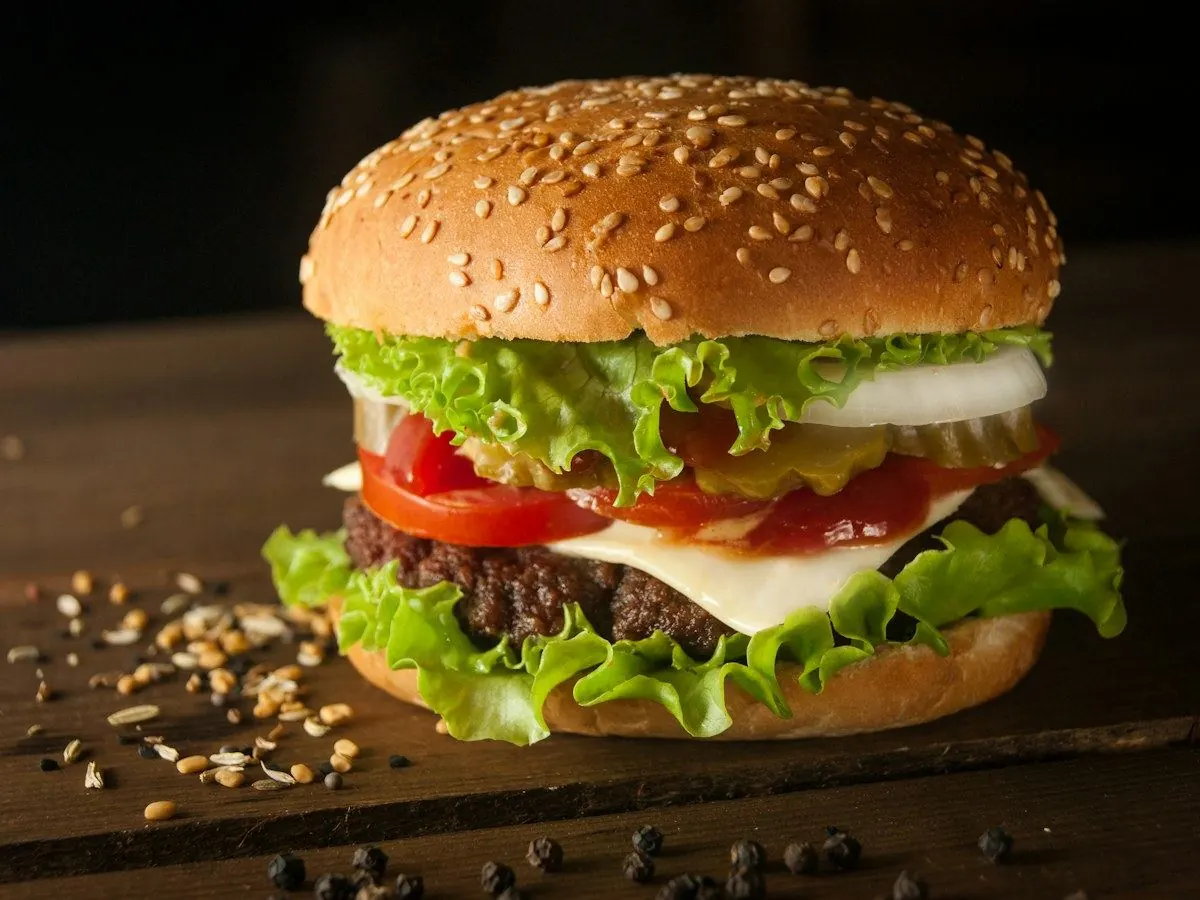
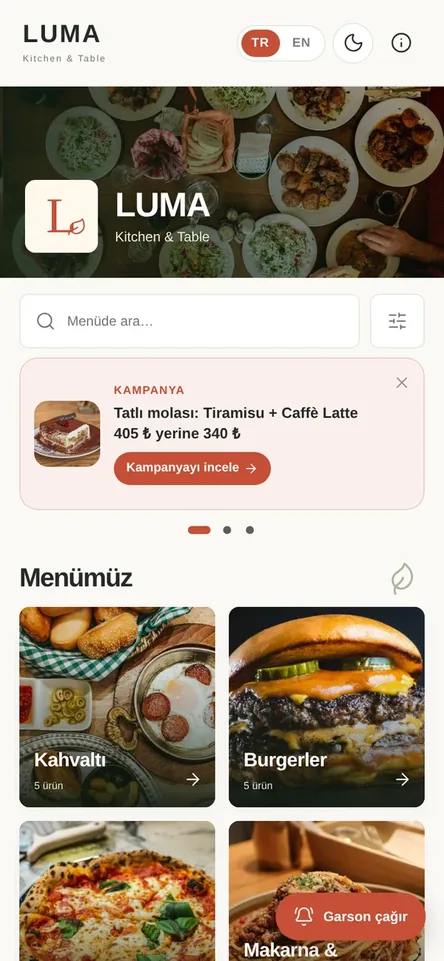
Let the menu suggest like a good server
A good server suggests fries with a burger or dessert with a coffee. On a QR menu that suggestion is often lost: the guest picks a dish and finishes the order without thinking about what goes with it. In Menuvola you choose up to three pairings for each dish; when the dish opens, they appear below it under “Goes well with”, with photo and price.
Promotions and announcements sit on the menu’s opening screen as sliding cards. A promotion can hold up to four dishes and a promotional price, with start and end dates; when the dates pass it disappears from the menu by itself. You can also put labels such as “New”, “Chef’s pick” or “Discount” on categories and move a category to the top of the menu between chosen dates.
Where table ordering is on, suggestions continue in the basket: when the first dish of a basket deal is added, the missing dishes are suggested, and the deal discount is applied to the bill automatically. For dishes prepared by party size, the extra person price is shown next to the dish; it is added only if the guest chooses it, and a better-value bundle is suggested in the basket when you have defined one.
Upselling and promotions in four steps
- 01Choose the pairingsIn the dish window, add up to three dishes under “Goes well with”. In the smart menu settings you can turn on a short strip that reminds guests of the pairings when they add the dish.
- 02Write the promotionOn the Campaigns and Notices page, enter the text, dishes, promotional price and date range. The basket deal option is available for priced promotions with two or more dishes.
- 03Highlight categoriesAdd a label to a category, with the percentage and last day for discount labels. Between the highlight dates the category moves to the top, and timed categories like breakfast come first in their own hours.
- 04Check the resultsIn menu analytics, see which dishes are viewed a lot but ordered little and which never sell, and adjust your suggestions and promotions.
What you can do
All of it runs live on Menuvola today; which plan includes it is below.
- “Goes well with” suggestionsUp to three pairings per dish, shown with photo and price in the dish details. With table ordering, guests add the pairing from the same screen.
- A reminder when addingWhen a dish is added to the basket, a short strip shows its pairings; it doesn’t appear if one is already in the basket. Off by default, turned on in the dashboard.
- Promotions on the opening screenPromotions and announcements are the first thing guests see. Up to four dishes, a promotional price, a date range and translations in your menu languages; they end on their own.
- Basket dealsWhen the first dish of a deal is in the basket, the missing dishes are suggested with “Add these”. In Menuvola Orders the discount is applied to the bill and shown separately in the end-of-day report.
- Party size and better-value bundlesFor dishes like a sharing breakfast prepared by party size, the extra person price is shown next to the dish. If you define a better-value bundle, it is suggested in the basket instead.
- Category labelsPromotion, discount, new, popular, chef’s pick, seasonal or your own text, with a colour and a last day; expired labels no longer show on the menu.
- Timed and highlighted categoriesBreakfast, lunch or dinner comes first in its own hours; outside them it is hidden, marked as not served now, or moved to the bottom. Highlights can have dates too.
- Dish badgesUp to three badges per dish: new, chef’s pick, popular, spicy, vegetarian, vegan. Badges show on the dish card and in the details and help guests decide.
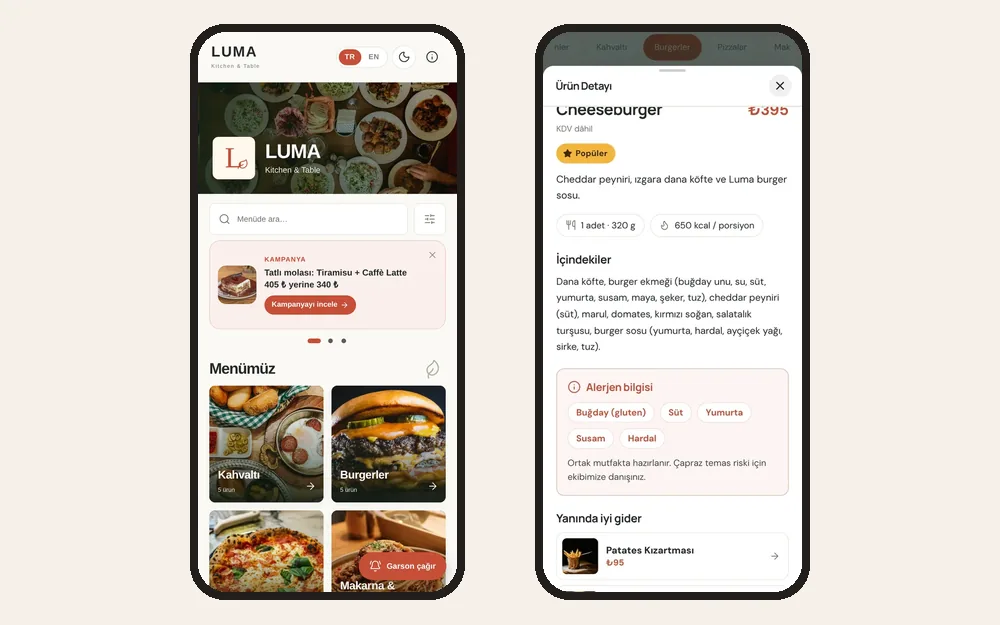
Screenshots show the Turkish interface; the business panel also works in English.
One suggestion, one add-on: what is it worth a month?
Enter your own numbers. Example: with 100 bills a day, adding a tea (₺95) to 20% of orders comes to about ₺57,000 extra revenue a month. Results vary by business.
This is an estimate; results vary by business. The numbers you enter stay in your browser and are not sent anywhere.
Upselling and promotions by plan
“Goes well with”, promotions, category labels, dish badges and timed categories are on every plan. The basket reminder, basket deals and party size selection work with table ordering in Menuvola Orders, which is included in Premium.
- DigitalIncluded
Pairing suggestions, promotions, labels and timed categories.
- ProfessionalIncluded
The same tools, with promotion texts translated by our team.
- PremiumIncluded
Basket suggestions with table ordering, basket deals and automatic discounts on the bill.
No automatic renewal, no commission on sales. See pricing
Questions you may have.
Who decides the “Goes well with” suggestions?
You do. You choose up to three pairings for each dish in the dish window. Menuvola doesn’t add dishes or change prices on its own; the suggestion only shows what you selected. A pairing that is sold out or hidden doesn’t appear.
Do I have to remove a promotion when it ends?
Not if you set a date range: after the end date the promotion no longer shows on the opening screen. Category labels have a last day too and disappear by themselves. You can also switch a promotion off at any time in the dashboard.
What should I watch for with discount labels?
The price on the menu should be the discounted price the guest pays, and the discount should be based on the dish’s lowest price in the last 30 days. The dashboard reminds you of this when you choose a discount label; check the rules that apply where you operate.
Is the extra person price added without asking?
No. The extra person price is shown next to the dish as an option and is added only if the guest raises the party size. Nothing else is added to the bill; the extra person is the dish’s own option.
How do I know whether suggestions work?
Menu analytics shows how often each dish is opened and, if you use Menuvola Orders, how often it is ordered. Spot dishes that are viewed a lot but sell little, dishes that never sell, and the end-of-day total of deal discounts, then adjust your suggestions and promotions.
Works well together
- Menu analyticsSee which dishes guests look at and which ones sell, without collecting personal data, plus menu engineering and practical suggestions.See details
- Loyalty programA digital stamp card: “buy 5 coffees, get 1 free”. Guests join with Menuvola Wallet, and stamps are only added on paid bills.See details
- QR menu designMosaic or Panorama layout with a live preview, plus printed menus, info sheets, QR price lists and numbered table cards from the same data.See details
Try it on your own menu.
Open an account and add your menu; no card needed, and nothing is charged when the trial ends. Questions? Message us on WhatsApp.