
No raised hand goes unnoticed.
Guests call a waiter or ask for the bill with one tap in the menu. The request lands on your team’s screen with the table number, and a sound plays for each new one.
- Arrives with the table number
- Sound alert on new requests
- No extra hardware needed
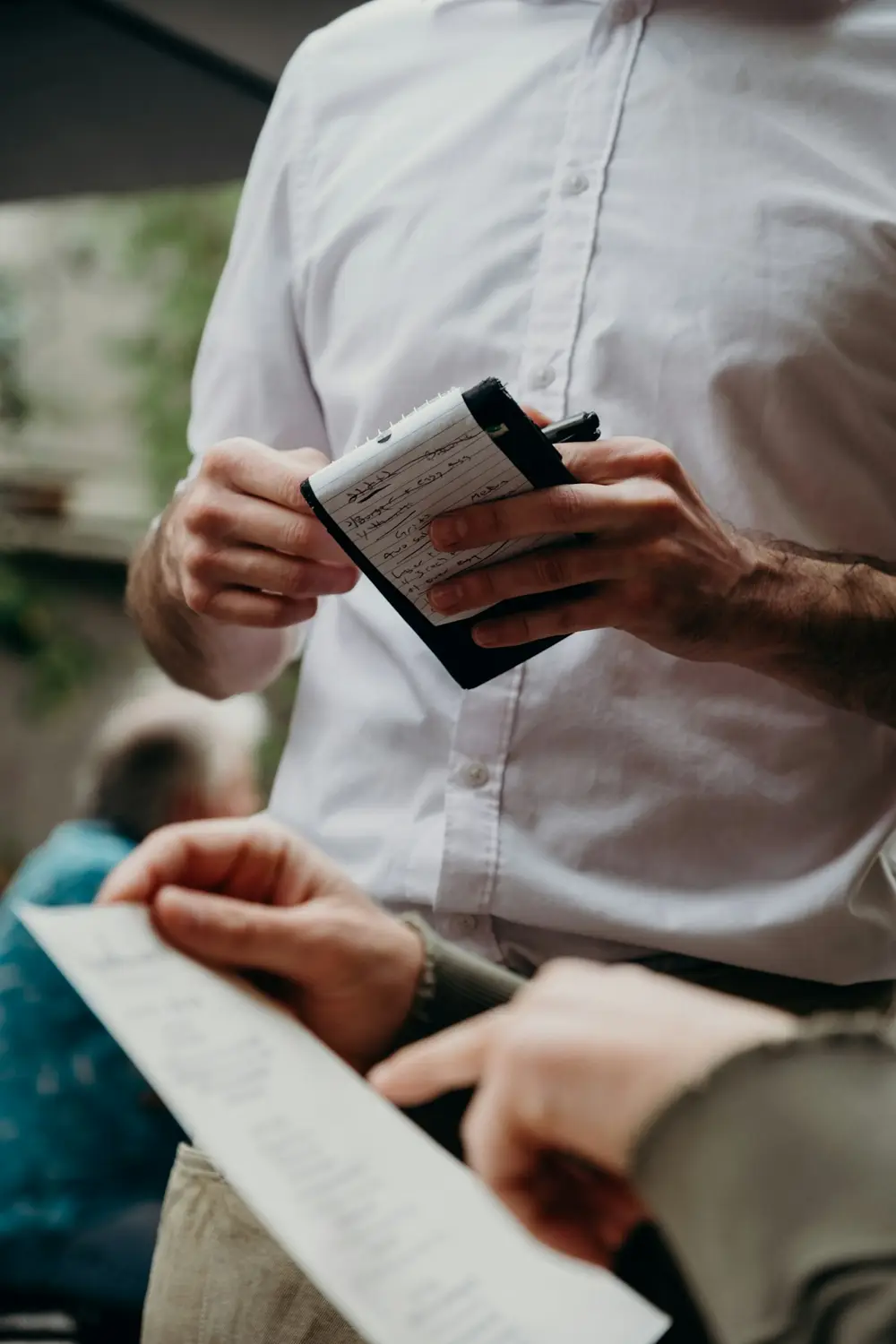
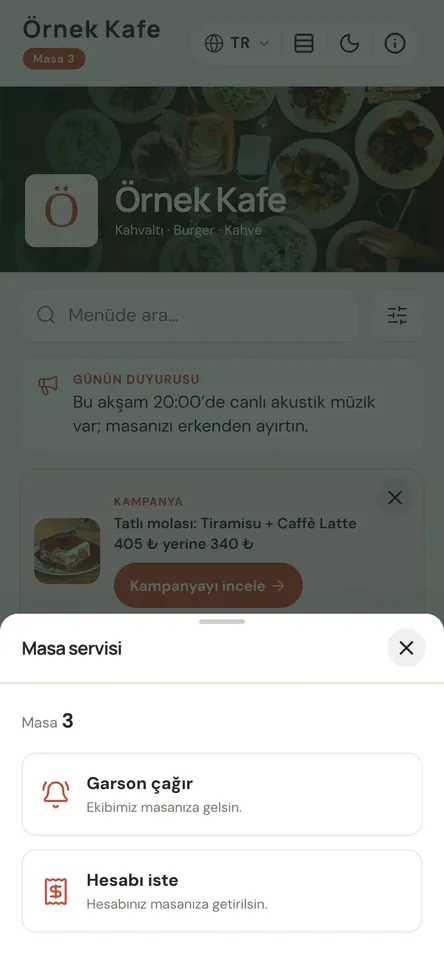
Every table is heard, even at peak time
A guest who scans the QR code on the table card can call a waiter or ask for the bill. The request appears in your panel as a large card with the table number and a sound plays. New calls show up on screen by themselves, with no refreshing needed.
Whoever handles the call closes the card with “Done”. If the same table already has an open request of the same type, another tap refreshes it instead of creating a second card. Duplicates never pile up, and the screen only shows the tables that are still waiting.
At busy times a raised hand is easy to miss. Guests let you know they’re waiting from their seat, and your team sees which table to go to first. On Premium, with Menuvola Orders switched on, the same requests also reach waiters’ phones in the staff app and go to the waiter responsible for that table.
Waiter call in four steps
- 01Print your table cardsPrint numbered table cards from the QR card designer in the panel. Each card’s code opens the menu with that table’s number.
- 02Guests tapGuests choose “Call waiter” or “Request bill” from a button in the menu. If the menu was opened without a table link, it asks for the table number and confirms it.
- 03Your team sees itThe request lands on the panel’s Table Calls screen — on the till computer, a tablet or a phone — and a sound plays. On Premium, the staff app sends a notification too.
- 04Close itWhoever goes to the table closes the request with “Done”. Open requests stay on the list with the table number and waiting time.
What you can do
All of it runs live on Menuvola today; which plan includes it is below.
- Two kinds of requestWaiter calls and bill requests arrive as separate cards, so your team can see which tables want a waiter and which want the bill. On Premium, bill requests also alert the cashier screen.
- The panel runs on any deviceKeep the Table Calls screen open on the till computer, a tablet or a phone; new calls appear within seconds. No notifications are sent while the panel is closed.
- Straight to the table’s waiter on PremiumWith Menuvola Orders on, requests reach the staff app. If you assign tables, the alert goes first to the waiter responsible; if nobody is assigned or they’re off shift, it goes to all waiters.
- Protection against repeat tapsRapid repeat calls from the same device are limited, and an open request at the same table is refreshed rather than duplicated. Your team isn’t chasing extra cards.
- Works with a single QR code tooIf you use one QR code at the entrance or counter, guests enter their table number when calling a waiter. An “Are you at table 8?” check confirms it, and it’s remembered for the visit.
- You control the settingSwitch the waiter call button on or off from the Table Calls page in the Service and Orders section. When it’s off, the menu is view-only.
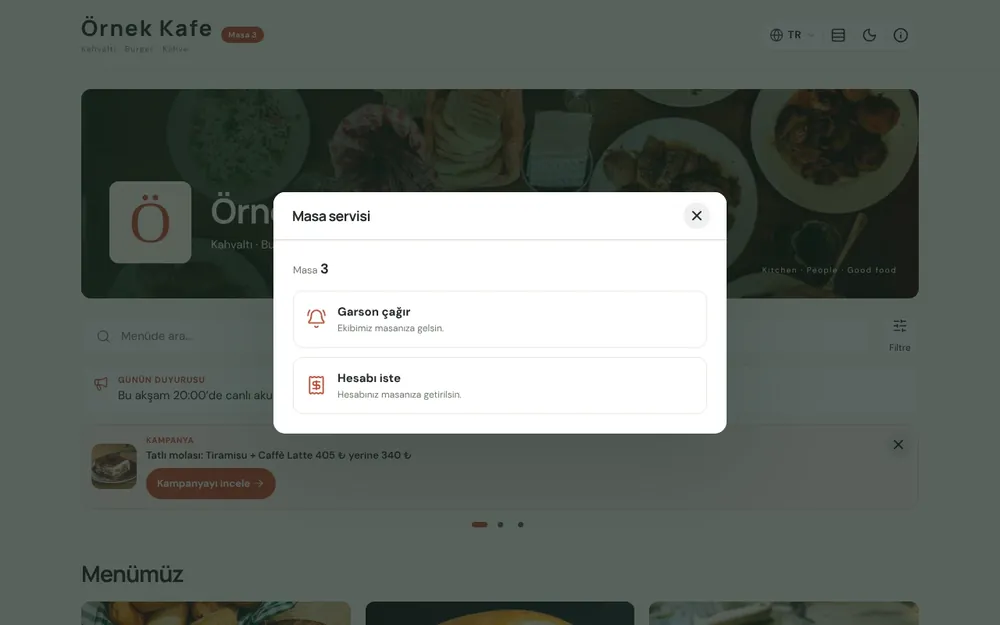
Screenshots show the Turkish interface; the business panel also works in English.
Waiter call by plan
Waiter call and bill request are included in Professional and Premium; on Digital the menu is view-only. On Premium, Menuvola Orders also sends requests to the staff app.
- DigitalNot in this plan
- ProfessionalIncluded
Requests reach the panel’s Table Calls screen with a sound.
- PremiumIncluded
Panel plus staff app, routed to the table’s assigned waiter.
No automatic renewal, no commission on sales. See pricing
Questions you may have.
Do guests need to download an app?
No. Guests scan the code on the table with their phone camera and the menu opens in the browser. The call waiter and request bill buttons are inside the menu — no sign-up, no app.
What if a guest keeps pressing the button as a joke?
Rapid repeat calls from the same device are limited, and if the table already has an open request of the same type, a new tap refreshes it rather than opening a second card. You can also switch the button off from the panel.
Do guests pay from their phone when they request the bill?
No. Menuvola doesn’t take payments. A bill request simply tells your team that the table wants the bill; you take payment at the table as usual.
Is it available on the Digital plan?
No. On Digital the menu is view-only; waiter call and bill request come with Professional and Premium. When you upgrade, you turn the feature on with the same QR codes and table cards.
Works well together
- Kitchen displayOrders from waiters and from the table land on kitchen and bar screens; when they’re ready, the waiter is notified.See details
- Staff managementPIN sign-in, shifts and breaks, table assignment and handover, service zones, performance and informational commission.See details
- QR menu designMosaic or Panorama layout with a live preview, plus printed menus, info sheets, QR price lists and numbered table cards from the same data.See details

See it in a live demo.
Message us on WhatsApp; we’ll show you Menuvola live at a time that suits you and help you pick the right plan.