
Your menu now takes orders too.
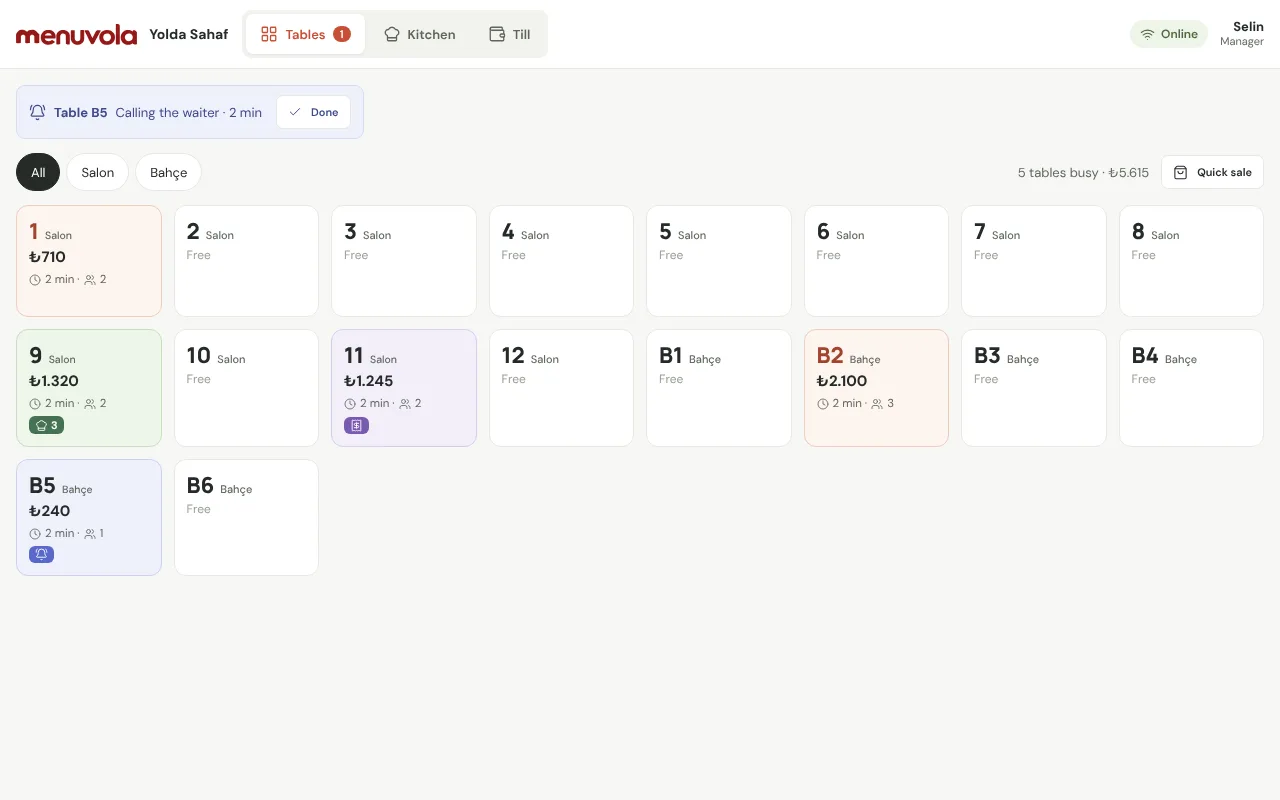
Which table is busy, what was ordered, what the kitchen is cooking: all on one screen. Waiters enter orders on their own phones, and guests can send their order from the table QR.

From the floor to the kitchen to the till.
Your menu, prices and allergen details are already in Menuvola. Ordering is built on top of them, so you never enter items twice.
- Live floor planBusy and free tables, bill totals, how long guests have been seated, dishes ready to serve and tables asking for the bill, all colour-coded.
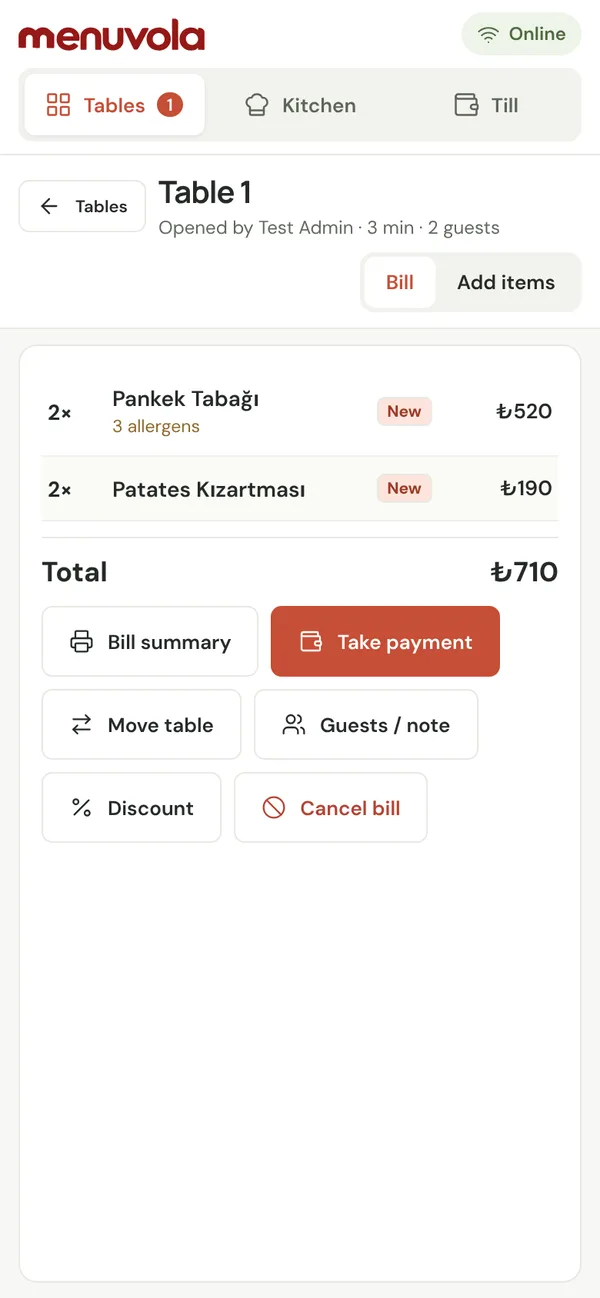
- Waiter phonesEach waiter signs in with a name and PIN, picks items, adds notes (no onions, rare) and sends them to the kitchen in one tap.
- Ordering from the tableGuests build their order from the menu and send it; it goes to the waiter for approval, then to the kitchen. Guests follow the status on their phone.
- Kitchen and bar displayNew, preparing, ready. Notes and allergens sit on top of the order; late orders turn red, and new orders ring.
- Bill handlingSplit per person or item by item, comps, discounts, moving and merging tables, and change for cash payments.
- Cash book and end of dayOpening float, cash in and out, counted cash and the difference at close. Revenue, payment methods, item and staff sales in one report.
- Keeps recording offlineWaiter phones and the till store orders, service and payments on the device and send them in order when the connection returns; nothing is recorded twice.
- Who did what, on recordVoids, comps, discounts and reversed payments are logged with the person, the time and the reason. Only the cashier or a manager can void an item the kitchen has started.
Waiters, kitchen and till see the same screen.
The order comes from the waiter’s phone or the table QR and lands on the kitchen display; when it’s ready, the waiter sees it. The bill closes from the same table.
Bill slips, a cashier screen and the guest’s running total.
The waiter takes the payment and closes the table; the cashier sees it instantly, and guests can follow what they ordered on their own phone.
- Bill slipThe waiter or cashier prints the table’s bill on an 80 mm printer. It’s for information only, not a fiscal receipt; if the bill changes afterwards, the screen flags it.
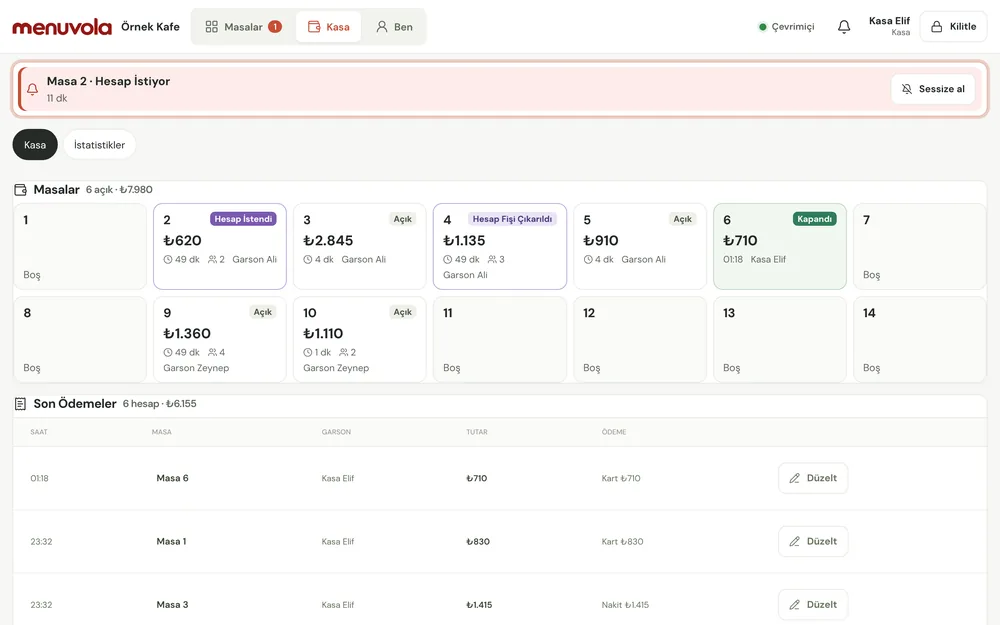
- Cashier screenTables grouped as Open, Bill requested, Bill printed and Closed, with recent payments and the cash each waiter hands in. Payment-method corrections are logged with a reason.
- Till statisticsRevenue, payment methods and sales by staff, table and section on one screen. You choose what the cashier sees, and whether amounts are shown.
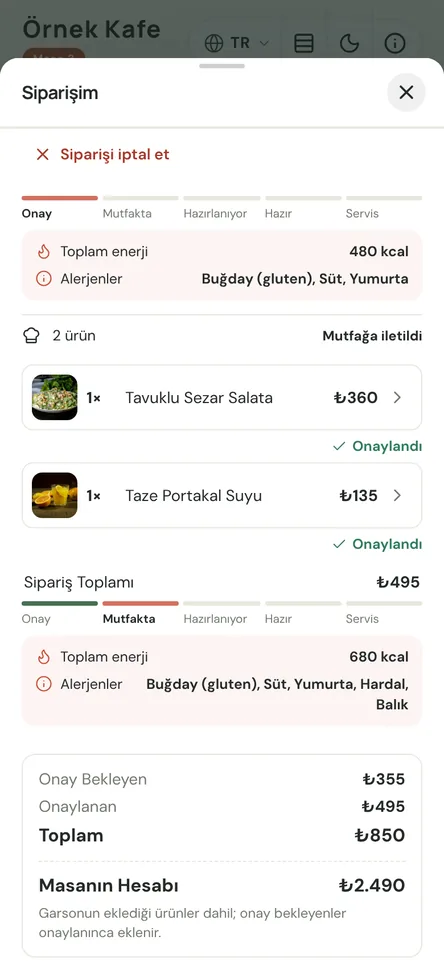
- Totals on the guest’s phoneGuests see line prices and their pending and approved totals for what they ordered from the QR; optionally, the table’s open bill total too.
Set up in a day.
No integrations, no cables. Phones and tablets connect with a QR code.
- 01Add tables and staffAdd tables in bulk by area (inside, terrace); create people and PINs for waiters, the till and the kitchen.
- 02Connect devicesScan the QR code in the panel with a phone or tablet; the device stays connected.
- 03Take ordersA waiter enters it or the guest sends it from the QR; it lands on the kitchen display and the waiter sees when it’s ready.
- 04Close the billMark the payment method and close the bill; see the report and the cash difference at the end of the day.
Delivery orders on the same screens.
In Türkiye, Menuvola connects directly to local delivery platforms, without a middleman service. Their orders land on the kitchen and cashier screens next to table orders and follow the same flow.
- Uber Eats Trendyol Go, GetirYemek, Yemeksepeti, Migros YemekOrders arrive on the delivery screen, go to the kitchen when accepted and close when delivered. Menuvola doesn’t take payments or use the platform’s invoicing.
- Set up by our teamOur team connects the platforms for you; a WhatsApp message is all it takes.
- One report for every channelTable, counter, phone and platform sales side by side in the end-of-day report.
What it doesn’t do
- It doesn’t take paymentsMoney never goes through Menuvola. You charge cards on your own terminal; the system only records the payment method.
- It doesn’t issue fiscal documentsYou keep issuing receipts or invoices from your register or e-invoicing system.
- It doesn’t connect to your register or card terminalThere’s no integration with cash registers, card terminals or other POS software; it runs on its own. Delivery platform orders are the exception.
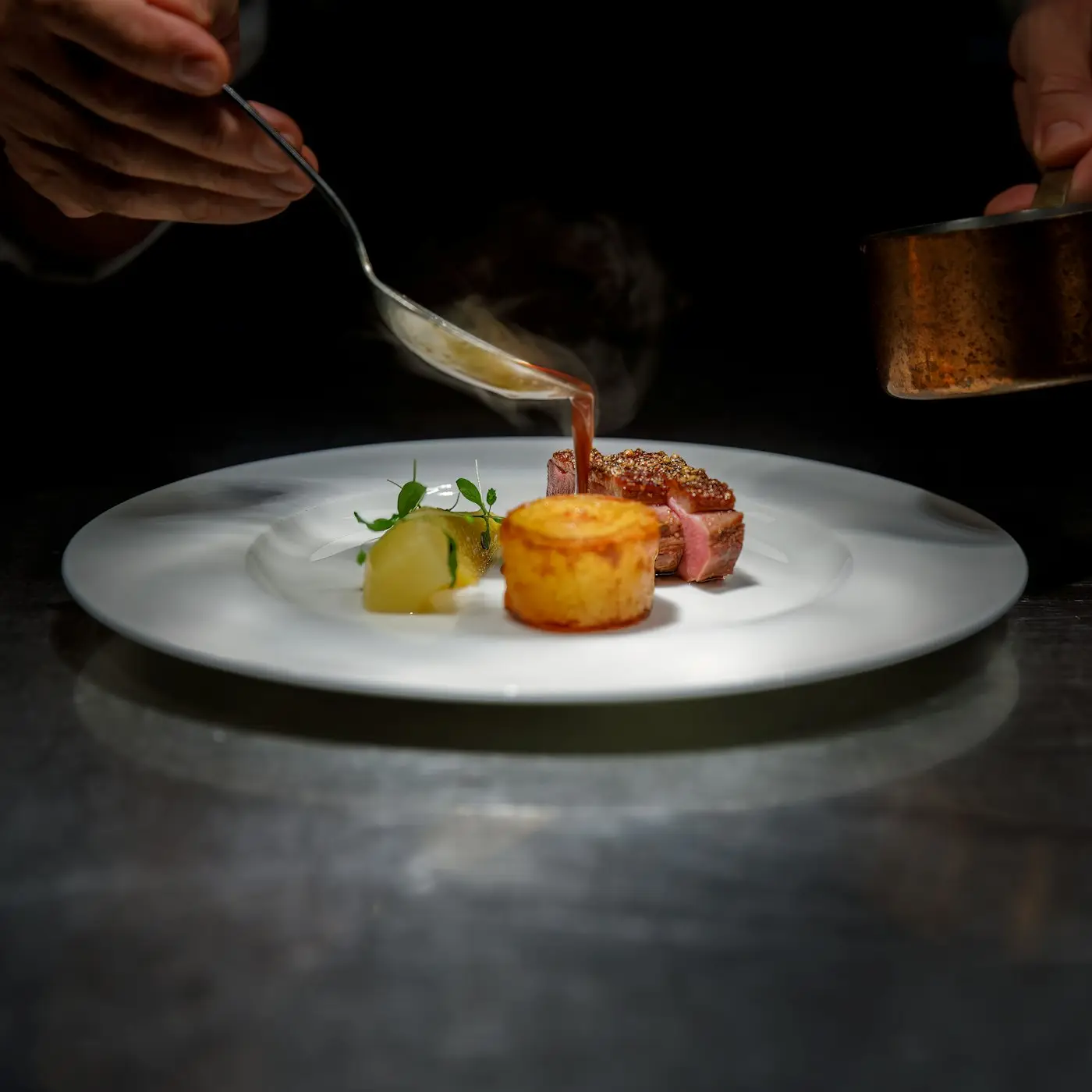
Restaurants, cafés and bars with table service that want their menu and their orders in one place, without paying for separate POS software.
Menuvola Orders is included in the Premium plan; it isn’t sold separately.
Included in Premium. Set up in a day.
No limit and no charge per table or device. Message us for a live demo or any questions; we’ll plan your setup day together.
Questions you may have.
Do I need extra hardware?
No. Waiters use their own phones; the kitchen and the till use a tablet or computer you already have. Devices connect by scanning a QR code in the panel. A bill slip can be printed on an 80 mm receipt printer if you want one.
What happens if the internet goes down?
Staff devices keep working: orders, service and payments are stored on the device and sent in order once the connection is back, and the same action is never recorded twice. During an outage the kitchen display gets no new orders, so waiters get a “tell the kitchen” list instead. Ordering from the table QR pauses until staff devices are back online; the menu stays open.
Does Menuvola take the payment?
No. Money never goes through Menuvola. You charge cards on your own card terminal and take cash yourself; the system only records the payment method.
Does it issue receipts or invoices?
No. Menuvola Orders doesn’t issue fiscal documents; you keep issuing them from your register or e-invoicing system. The bill slip is for information only.
Can a guest send an order for the wrong table?
Every order from a table first appears on the waiter’s screen as an order request; it reaches the kitchen only after the waiter approves it. Wrong or prank orders never get to the kitchen.
How much does it cost?
Menuvola Orders is included in the Premium plan at no extra cost. There’s no limit and no charge per table or device.
Your menu and your orders in one place.
Tables, waiters, kitchen and till, with no extra hardware and no integrations.