
Let guests order out loud, in their own language.
The assistant inside your QR menu greets guests like a good waiter: it answers questions from your menu, suggests what goes well and sends the order to your waiter for approval.
- By voice or by text
- In your menu’s languages
- No personal data asked or stored
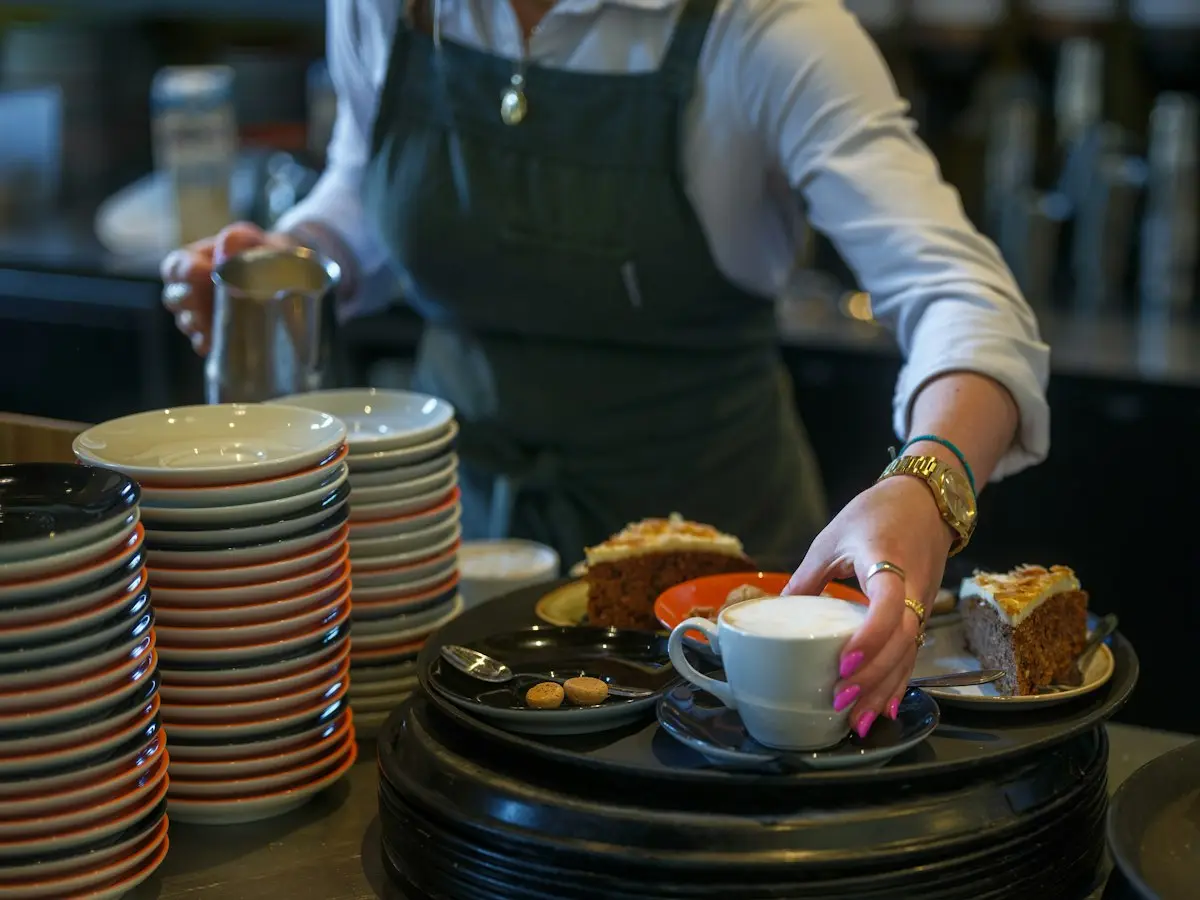
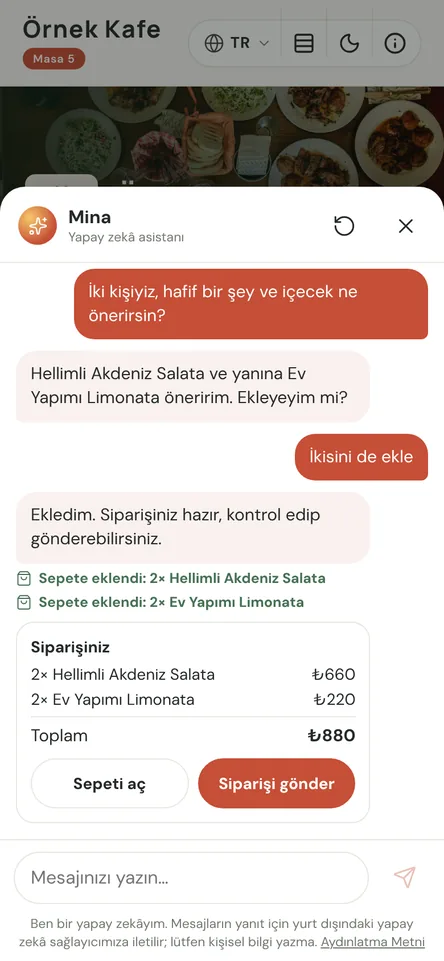
An assistant at every table during the rush
At peak hours no waiter can reach every table at once. A visitor can’t read the menu, a table can’t decide, and everyone waits. The voice ordering assistant lives inside your QR menu: the guest taps a button and says or types what they want. No app, no account, nothing to fill in.
It only knows your menu: names, prices, ingredients, allergens, portions and serving hours come straight from it. It answers “What’s gluten-free?” from your data. It is designed to answer only from the information on your menu; when unsure, it suggests asking the waiter. It won’t add sold-out items or anything outside serving hours, and explains why.
When the guest says “Send the order”, it goes through your usual QR ordering flow: it reaches the waiter’s phone as a request, and the kitchen only after the waiter approves. The assistant takes no payment, changes no prices and doesn’t replace your staff. It prepares the order and shortens the wait.
Voice ordering assistant in four steps
- 01We switch it onOur team turns the assistant on for you. Under Design → Menu assistant you set its name, greeting, voice and flow, then test it with a preview link.
- 02The guest asksThe guest scans the table QR code, taps the assistant and asks by voice or text, in the language they opened the menu in.
- 03The cart fills upRequested items go into the cart, with one fitting suggestion available right now. The guest can change anything at any time.
- 04The waiter approvesThe order reaches the waiter’s phone through the existing QR ordering flow and goes to the kitchen once approved.
What you can do
All of it runs live on Menuvola today; which plan includes it is below.
- Speak or typeTalk, type or mix both. In hands-free mode the assistant listens again after each reply and stops if the guest cuts in.
- In the guest’s own languageIt speaks the language the guest opened the menu in, with a natural voice per language, or the phone’s own voice as a fallback.
- Answers from your menuIngredients, allergens, portions, calories and prices come from your menu. It is designed to answer only from the information on your menu; when unsure, it suggests asking the waiter.
- Suggestions at the right momentAfter each addition it suggests one item not yet in the cart and available now. You set the number and tone; it never pushes.
- Hours and stock rulesNo sold-out items or out-of-hours categories, with the reason given. When you’re closed, it shares your opening time instead.
- Waiter approval, alwaysOrders take the same route as table QR orders. Nothing reaches the kitchen without approval, and guests can call the waiter from the assistant.
- No personal dataIt never asks for a name, phone or address. Conversation text, IP addresses and device IDs aren’t stored on our servers, and Menuvola keeps no voice recordings.
- Try it in previewTest it at your own table with a preview link first. Preview orders reach the waiter clearly labelled, or aren’t recorded at all.
- Anonymous metricsConversations started, how they ended, unmet requests and why, and response times. Numbers only, no one identified.
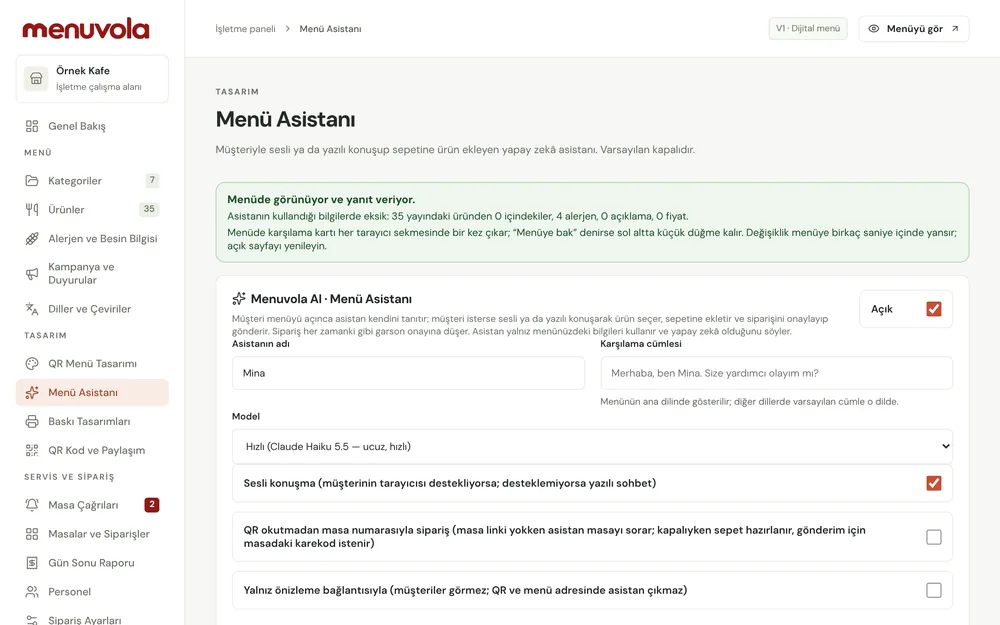
Screenshots show the Turkish interface; the business panel also works in English.
Voice ordering assistant by plan
The assistant sends orders for waiter approval through Menuvola Orders, which is included in Premium. Our team switches it on for you; you manage it in the dashboard and can turn it off any time.
- DigitalNot in this plan
- ProfessionalNot in this plan
- PremiumIncluded
Works with table QR ordering, the waiter’s phone and the kitchen screen; every order goes through waiter approval.
No automatic renewal, no commission on sales. See pricing
Questions you may have.
Does the assistant replace waiters?
No. It answers questions, prepares the order and sends it to the waiter; nothing reaches the kitchen until the waiter approves. It takes no payment and changes no prices. The goal is shorter waits and a lighter load for your team.
Are guests’ conversations recorded?
No. It never asks for personal details. Conversation text, IP addresses and device IDs aren’t stored on our servers, there are no voice recordings, and chat history stays on the guest’s phone. The AI provider receives conversation text and menu data only, nothing identifying.
Do guests need to download an app?
No. The assistant is part of the QR menu that opens in the phone’s browser. Scan, tap and talk, with no app, account or sign-up.
Which languages does it support?
Every language your menu offers, and how many you can offer depends on your plan. Speech recognition runs on the guest’s phone or in the cloud; you choose in the dashboard.
Works well together
- Menuvola AIUpload a photo, PDF or link to your menu; AI reads the products, suggests what’s missing, and you approve.See details
- Multilingual menuChoose as many of 18 languages as your plan allows; guests read the menu in their own language, and your printed materials follow.See details
- Waiter callGuests call a waiter or ask for the bill from the QR code on the table; the request reaches your team with the table number and a sound alert.See details

See it in a live demo.
Message us on WhatsApp; we’ll show you Menuvola live at a time that suits you and help you pick the right plan.