
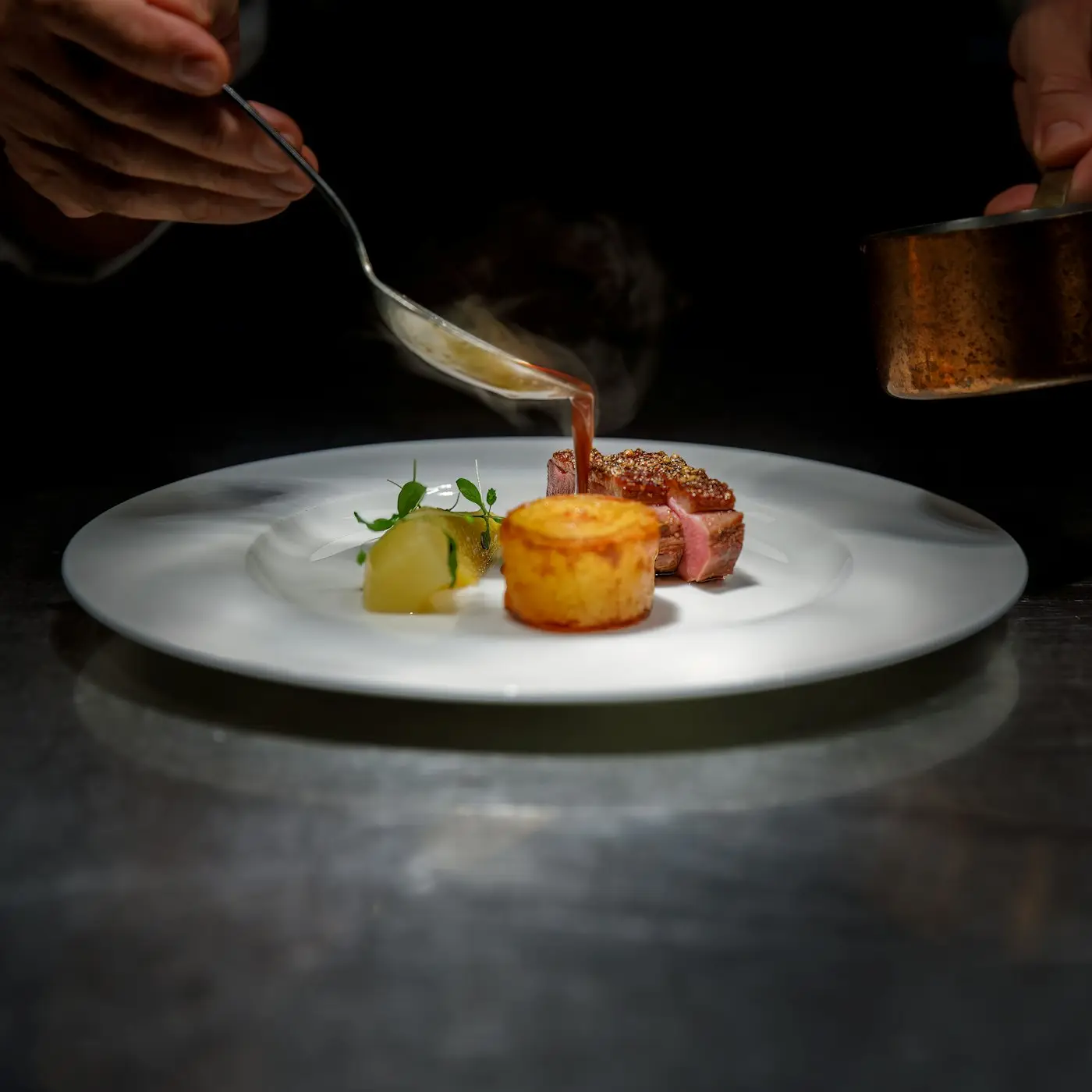
Orders off paper, onto the kitchen screen.
Orders from a waiter’s phone or the QR code on the table reach kitchen and bar screens with their notes and allergens. When they’re ready, the waiter knows.
- Separate kitchen and bar stations
- Late orders turn red
- Waiter notified when ready
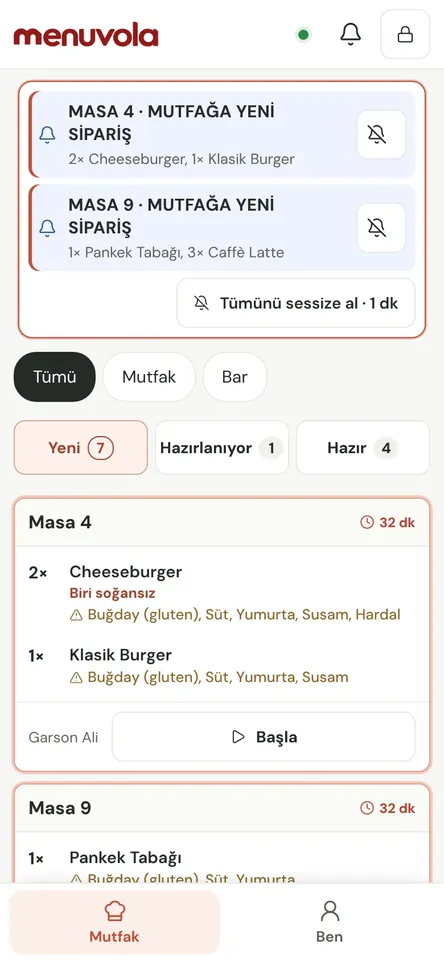
Floor and kitchen look at the same screen
The kitchen display is part of Menuvola Orders, alongside QR ordering at the table, the waiter app, and table and bill management. It runs on devices you already have, and if the internet drops, staff devices keep recording and sync once the connection is back.
A waiter taps a table, picks the items and hits “Send”; the order lands on the kitchen screen. Orders guests send from the table’s QR code go to the waiter for approval first, then on to the kitchen. Each one moves from new to preparing to ready, with notes and allergens on top and late orders in red.
You link items to preparation stations — say, kitchen and bar — and each station sees only its own items. When the kitchen marks an order ready, the waiter’s phone shows “Table 5 · Items ready”, so food goes out while it’s hot instead of waiting on the pass.
Kitchen display in four steps
- 01Set up stationsIn Order Settings → Preparation stations, create stations such as kitchen, bar or desserts and link your categories to them.
- 02Open the screenOpen the ordering screen in the browser on a kitchen tablet or computer and link it to your venue with a pairing code. You can make it a fixed kitchen screen that doesn’t ask for a PIN.
- 03Prepare the orderNew orders arrive with an audible alert. Mark items “Preparing” and “Ready”; anything past the time you set turns red.
- 04Waiter picks upReady items show on the waiter’s phone with the table number and are marked on the bill once served.
What you can do
All of it runs live on Menuvola today; which plan includes it is below.
- Kitchen and bar, separatelyEach preparation station sees only its own items. A table’s food is made in the kitchen and its drinks at the bar, and the waiter is told separately when each is ready.
- Notes and allergens on topNotes from the waiter or guest and the item’s allergens sit at the top of the order. A note added after an item was sent arrives as a “Note change” card — the item isn’t ordered twice.
- Late order alertOrders that pass the number of minutes you set turn red, so the kitchen sees at a glance which table is waiting.
- Sound and vibration alertsA chime plays for each new order. Sound and volume are set per device, and the chime can repeat until the order is handled. A keep-screen-on option stops the tablet from going to sleep.
- Same item, one lineThe same item ordered from several phones at one table is grouped into a single line on the kitchen card. Dishes prepared for a number of people show a large label such as “3 people”.
- Delivery orders on the same screenWith delivery platforms switched on, orders from Uber Eats Trendyol Go, GetirYemek, Yemeksepeti and Migros Yemek land on the same kitchen screen, labelled by channel.
- QR orders go to the waiter firstOrders guests send from the table’s QR code wait for the waiter’s approval and don’t reach the kitchen until approved. Requests that aren’t approved drop off automatically after a while.
- Recording continues if the internet dropsWaiter phones and the till store orders, service and payment records on the device and send them in order once the connection returns, never recording the same action twice. During an outage devices can’t see each other, and QR ordering and waiter calls pause.
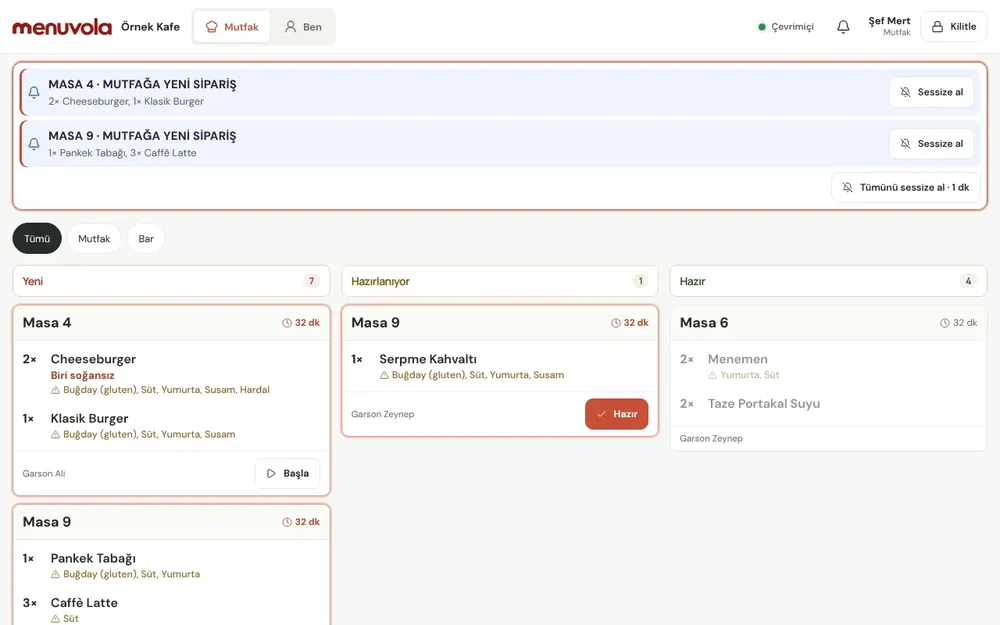
Screenshots show the Turkish interface; the business panel also works in English.
Kitchen display by plan
The kitchen display is part of Menuvola Orders, which is included in Premium at no extra cost. Menuvola doesn’t take payments or issue fiscal receipts.
- DigitalNot in this plan
- ProfessionalNot in this plan
- PremiumIncluded
Menuvola Orders included: floor plan, waiter phones, QR ordering at the table and the kitchen display.
No automatic renewal, no commission on sales. See pricing
Questions you may have.
Do I need special hardware?
No. Any tablet, computer or screen with a browser will do. You link the device to your venue with a pairing code, and can set it up as a fixed kitchen screen that doesn’t ask for a PIN.
Does it print kitchen tickets?
No. The order card on the kitchen screen replaces the paper ticket. Menuvola doesn’t integrate with kitchen printers, cash registers or other POS software, and doesn’t issue fiscal receipts.
What happens if the internet goes down?
New orders don’t reach the kitchen screen during an outage; the waiter passes them on verbally using a “Tell the kitchen” list that appears on screen. When the connection returns, actions are sent in order with their original times and show in the kitchen as a marked card, without a chime.
Can kitchen staff see payments or the till?
No. Staff with the kitchen role see only the kitchen screen; payments, the till and table calls aren’t sent to them.
Works well together
- Staff managementPIN sign-in, shifts and breaks, table assignment and handover, service zones, performance and informational commission.See details
- Waiter callGuests call a waiter or ask for the bill from the QR code on the table; the request reaches your team with the table number and a sound alert.See details
- Stock and recipesProduct costs from ingredients and recipes, stock deducted on closed bills, purchases, waste, stock counts and profitability reports.See details
See it in a live demo.
Message us on WhatsApp; we’ll show you Menuvola live at a time that suits you and help you pick the right plan.